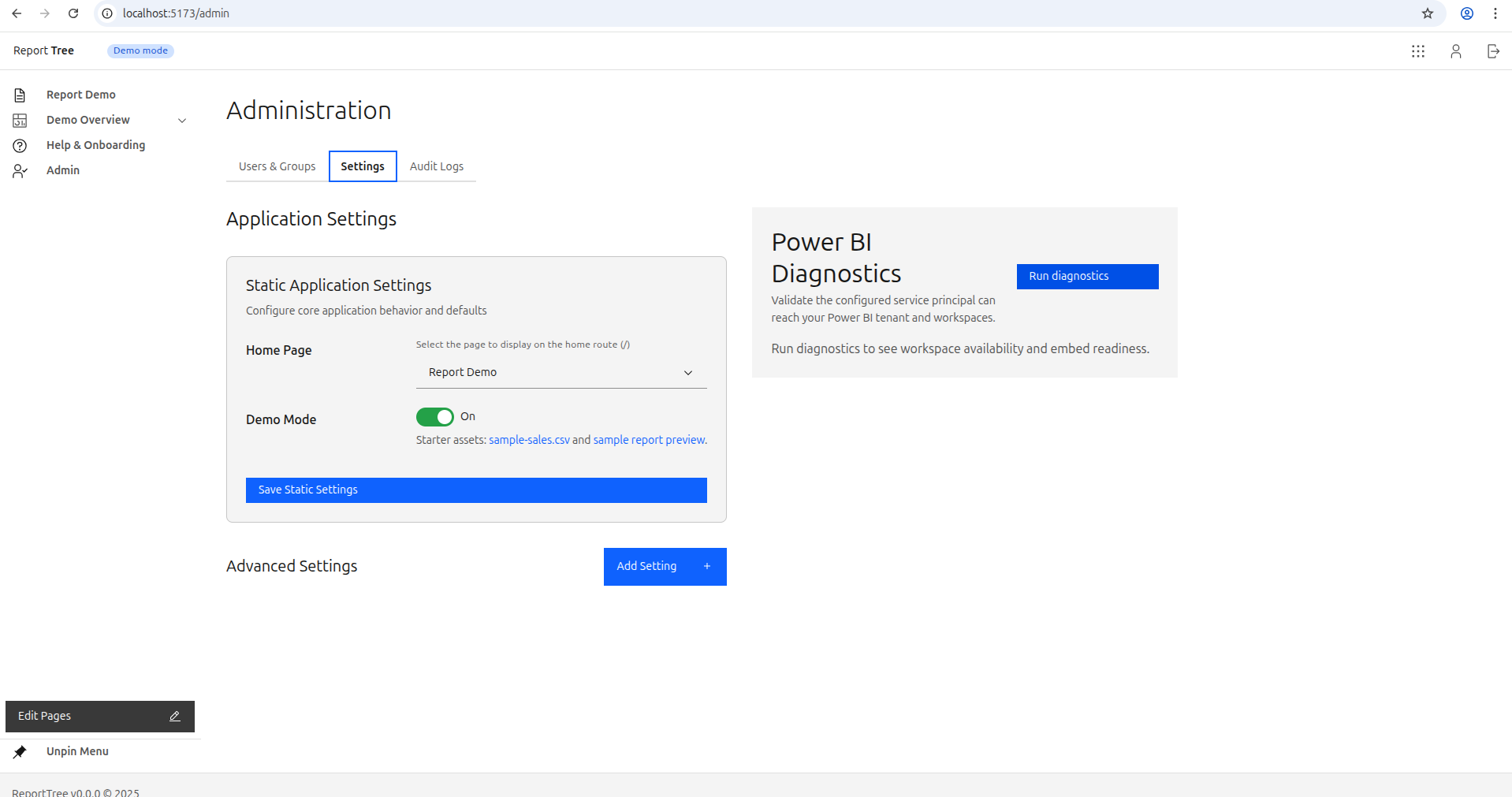
Admin • Page tree
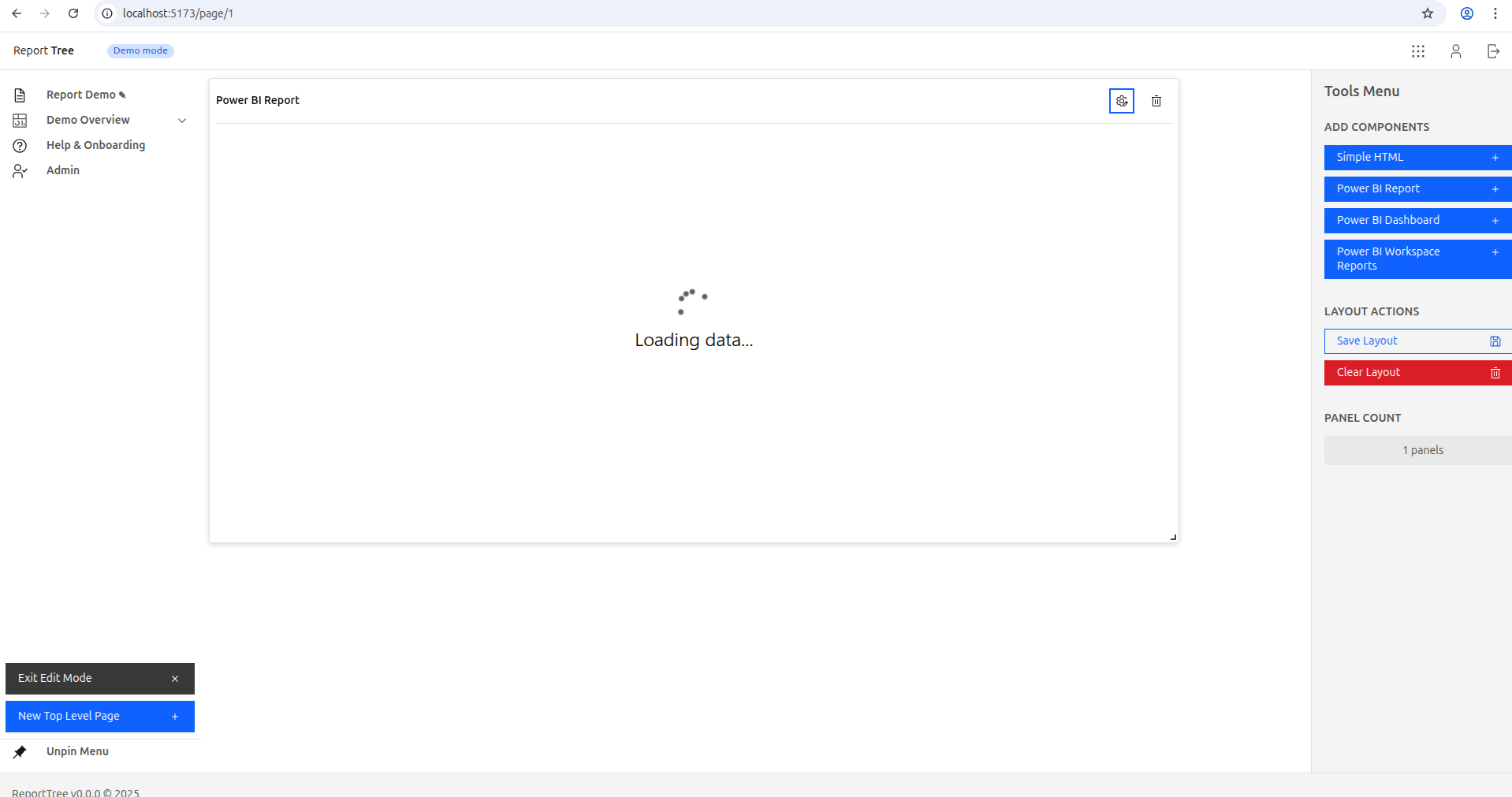
Editor • Page builder
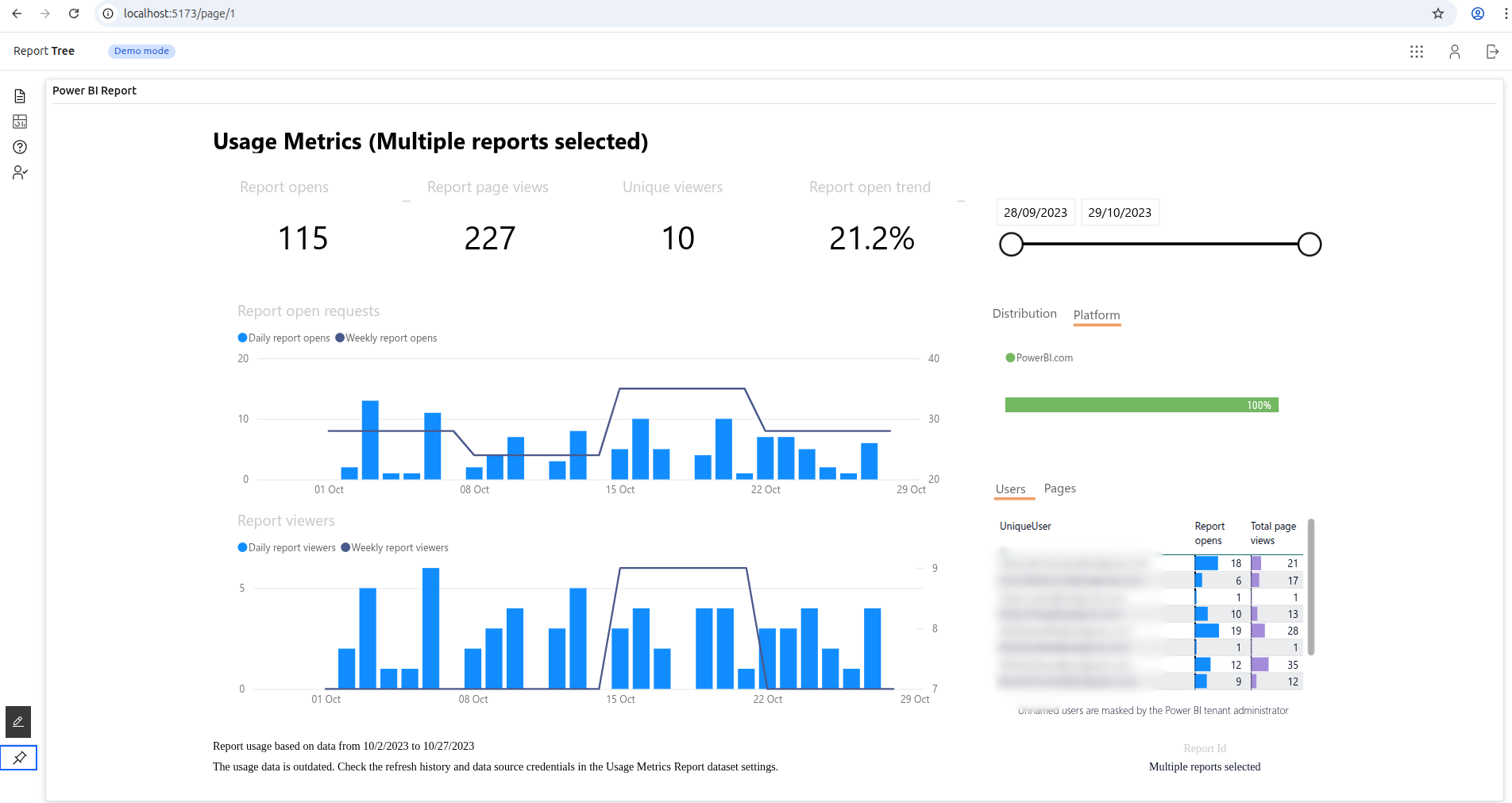
Viewer • Portal experience
Tip: short GIFs convert extremely well for OSS tools (create page → embed → viewer sees nav).
Open-source • Production-ready • Docker-native
PBIHoster helps teams ship a production-ready portal around Power BI: structured pages, role-based access, white-label UX, and operational controls for day-two administration.
Designed for app-owns-data scenarios where external viewers often do not require individual Power BI licenses. Always validate licensing for your specific setup.
Power BI consultancies, SaaS product teams, and BI functions that need controlled report delivery beyond shared links.
Typical pilot implementation range: $8k-$15k with fixed scope, timeline, and acceptance criteria.
Share your user count, access model, and report scope. We can return a pilot estimate in 3 business days.
Tip: short GIFs convert extremely well for OSS tools (create page → embed → viewer sees nav).
Power BI Embedded handles rendering. PBIHoster handles the portal, governance, and operational layer around it.
Create pages and folders. Users see a left-side navigation tree with only the pages they can access.
Attach Power BI reports or dashboards to pages. Tokens are generated server-side with resilient loading and retry behavior.
Use local auth or external identity providers (OIDC) with Admin/Editor/Viewer roles and page-level permissions.
Map external role/group claims to internal permissions to keep onboarding and governance consistent.
Track and review portal usage with analytics capabilities currently in active delivery.
Run locally with Docker Compose or deploy behind a reverse proxy in the cloud.
Core platform features are shipped and production-ready. New capabilities are delivered incrementally and documented in release notes.
Commercial engagement options include fixed-scope pilots, rollout implementation, and annual support plans.
A simple workflow to turn Power BI content into a structured, permissioned portal.
Define a page and folder structure for your portal.
Attach a report or dashboard to the page.
Grant permissions to roles, groups, and users.
Viewers log in and see their pages in the navigation tree.
PBIHoster is designed to run behind a reverse proxy with HTTPS. Start with Docker Compose, then scale out.
Clone the repo, run Docker Compose, and point the app to your Power BI workspace/report.
docker compose up
Follow the deployment guide for reverse proxy, TLS, and recommended security settings.
Deployment guide ->In many app-owns-data setups, external viewers do not need individual Power BI licenses, but you pay for embedded capacity. Validate licensing for your scenario.
No. PBIHoster is an independent open-source project and is not affiliated with Microsoft.
The UI is designed to be themeable. Full white-label options can be configured based on your needs.
External OpenID Connect support is available in the current codebase. Check release notes and changelog for your target version before rollout.
Use GitHub Issues for bugs and GitHub Discussions for questions. For product direction, track changelog and roadmap updates.
Yes. We offer fixed-scope pilot implementation and rollout support for teams that want faster production delivery.
Have questions or want a pilot quote? Share your scope and we will follow up with fit guidance and next steps.
For faster qualification, include: expected user count, identity provider, Power BI workspaces in scope, and target go-live date.
If you are embedding Power BI into customer-facing apps, PBIHoster saves you from rebuilding the same portal layer repeatedly.
Disclaimer: PBIHoster is not affiliated with or endorsed by Microsoft. Power BI is a trademark of Microsoft Corporation.